
AutoSkippy | Skip Intros, Ads, Recaps & More 作者: imtiazraqib
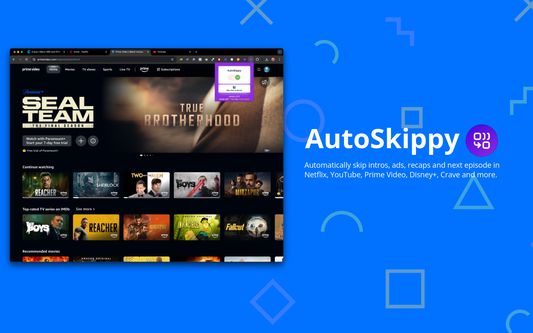
Automatically skip intros, ads, recaps and next episode in Netflix, YouTube, Prime Video, Disney+, Crave and more.
116 个用户116 个用户
扩展元数据
屏幕截图


关于此扩展
Automatically skip intros, ads, recaps and next episode in Netflix, YouTube, Prime Video, Disney+, Crave and more.
Transform your streaming experience with AutoSkippy! This Chrome extension makes binge-watching effortless by automatically skipping intros, ads, recaps, and advancing to the next episode. Say goodbye to repetitive clicks and enjoy uninterrupted streaming with just a toggle.
Key Features:
1. Automatic Intros Skip: Effortlessly skips intro screens on Netflix, Netflix, YouTube, Prime Video, Disney+, Crave and other platforms.
2. Ad Skipping: Automatically skips ads on YouTube and more.
3. Recap Skipping: Eliminate recap screens to dive straight into the next episode.
4. Next Episode Button: Automatically advances to the next episode without manual clicks.
5. Sleek Design: Features a stylish toggle button with interactive indicators.
6. Privacy First: Operates securely within streaming platforms while keeping your data private.
How to Use:
1. Toggle AutoSkippy on.
2. Open Netflix, YouTube, Crave, Prime Video or other supported platforms and start watching.
3. Relax—AutoSkippy will handle the rest!
Transform your streaming experience with AutoSkippy! This Chrome extension makes binge-watching effortless by automatically skipping intros, ads, recaps, and advancing to the next episode. Say goodbye to repetitive clicks and enjoy uninterrupted streaming with just a toggle.
Key Features:
1. Automatic Intros Skip: Effortlessly skips intro screens on Netflix, Netflix, YouTube, Prime Video, Disney+, Crave and other platforms.
2. Ad Skipping: Automatically skips ads on YouTube and more.
3. Recap Skipping: Eliminate recap screens to dive straight into the next episode.
4. Next Episode Button: Automatically advances to the next episode without manual clicks.
5. Sleek Design: Features a stylish toggle button with interactive indicators.
6. Privacy First: Operates securely within streaming platforms while keeping your data private.
How to Use:
1. Toggle AutoSkippy on.
2. Open Netflix, YouTube, Crave, Prime Video or other supported platforms and start watching.
3. Relax—AutoSkippy will handle the rest!
评分 1(1 位用户)
权限与数据
必要权限:
- 访问您用于 netflix.com 域名的网站的数据
- 访问您用于 youtube.com 域名的网站的数据
- 访问您用于 primevideo.com 域名的网站的数据
- 访问您用于 disneyplus.com 域名的网站的数据
- 访问您用于 crave.ca 域名的网站的数据
更多信息