Focus input element 作者: sa1hon
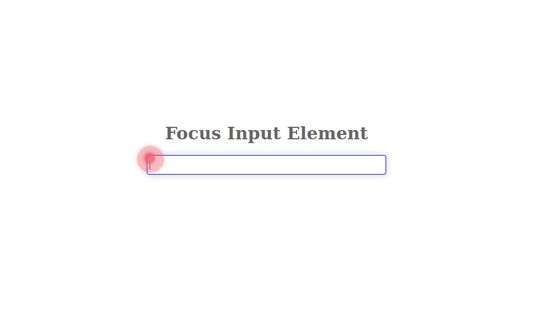
Pressing the shortcut key moves the cursor to the text box on the Web page.
39 个用户39 个用户
扩展元数据
屏幕截图
关于此扩展
Overview:
Pressing the shortcut key moves the cursor to the text box on the Web page.
The default shortcut keys:
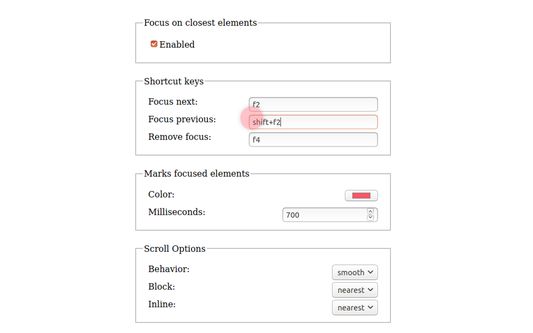
- Next input box: F2
- Previous input box: Shift+F2
- Unfocus: F4
- First input box: Default unspecified
- Last input box: Default unspecified
Features:
- Press the key repeatedly to move to the next or previous input box.
- Focus is available on the nearest input box in the active area of the scrolled page.
- Markers allow you to locate the input box.
- These settings can be changed on the Options page.
Source repository: https://github.com/saihon/focus-input-element
Pressing the shortcut key moves the cursor to the text box on the Web page.
The default shortcut keys:
- Next input box: F2
- Previous input box: Shift+F2
- Unfocus: F4
- First input box: Default unspecified
- Last input box: Default unspecified
Features:
- Press the key repeatedly to move to the next or previous input box.
- Focus is available on the nearest input box in the active area of the scrolled page.
- Markers allow you to locate the input box.
- These settings can be changed on the Options page.
Source repository: https://github.com/saihon/focus-input-element
评分 5(1 位用户)
权限与数据
更多信息
- 附加组件链接
- 版本
- 1.5.6
- 大小
- 47.17 KB
- 上次更新
- 2 年前 (2024年7月16日)
- 相关分类
- 版本历史
- 添加到收藏集