
Shortcuts for Google™ Products 作者: Joe Ertaba, Sarah Av.
Shortcuts of Google Products
2,566 个用户2,566 个用户
扩展元数据
屏幕截图


关于此扩展
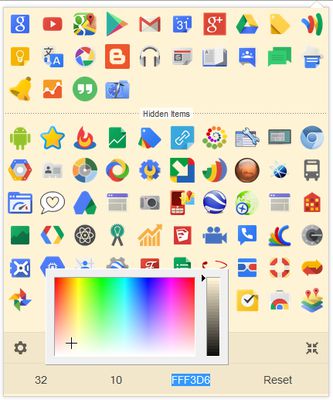
The "Shortcuts for Google™ Products" extension displays all Google products in a single, space-saving, drop-down panel.
Preview:
https://www.youtube.com/watch?v=GUfjnB4LqKM
Note 1: In order to change the Panel width, please enter an integer value from 5 to 24 in the designated space. This value represents the number of columns in the Panel.
Note 2: In order to change the Icons size, please enter an integer value from 16 to 64 in the designated space. This value represents the icon size in Pixels.
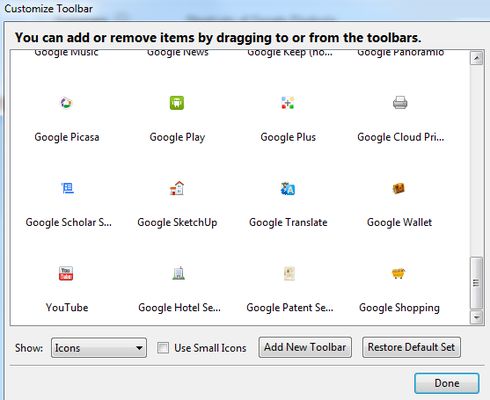
Note 3: individual icons for each product is also available in the "Customize..." panel (first you need to enable them from addon settings). To insert icons to the toolbar open the "Customize..." panel and drag and drop icon to the preferred location.
Note 4: in order to see new icons after each update, you need to reset the toolbar panel once. To do so, open toolbar panel, click on the settings icon at the bottom left corner, and then click on the reset button.
Preview:
https://www.youtube.com/watch?v=GUfjnB4LqKM
Note 1: In order to change the Panel width, please enter an integer value from 5 to 24 in the designated space. This value represents the number of columns in the Panel.
Note 2: In order to change the Icons size, please enter an integer value from 16 to 64 in the designated space. This value represents the icon size in Pixels.
Note 3: individual icons for each product is also available in the "Customize..." panel (first you need to enable them from addon settings). To insert icons to the toolbar open the "Customize..." panel and drag and drop icon to the preferred location.
Note 4: in order to see new icons after each update, you need to reset the toolbar panel once. To do so, open toolbar panel, click on the settings icon at the bottom left corner, and then click on the reset button.
评分 4.3(1 位用户)
权限与数据
更多信息