
Tracking Time | Time Tracker Button 作者: TrackingTime
Time tracker for Linear, Planner, Basecamp, Asana and 60+ web tools. Hours flow into timesheets, approvals and client reports.
390 个用户390 个用户
扩展元数据
屏幕截图


关于此扩展
The time tracker that works where the work happens. The TrackingTime extension adds a start/stop timer inside the web tools your team already uses, so hours are logged in context instead of rebuilt at the end of the week.
TrackingTime is time tracking software that runs as the operational back office for agencies and professional services. Every entry you start from the browser lands in the same workspace that runs timesheets, approvals, retainers, invoicing and client reports.
HOW IT WORKS
• Install the extension and sign in to your TrackingTime account.
• Open a supported tool and click the timer next to the task, card or ticket.
• The extension detects the task and project and syncs them to TrackingTime. No setup per integration.
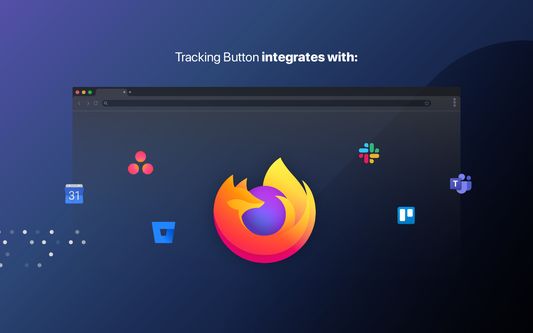
WORKS INSIDE 60+ WEB TOOLS
• Project management: Asana, Trello, ClickUp, Monday, Wrike, Basecamp, Teamwork, Todoist, Notion, Airtable
• Developer tools: Jira, GitHub, GitLab, Bitbucket, Azure DevOps, Linear
• Google Workspace: Gmail, Google Docs, Sheets, Slides, Calendar, Tasks, Keep
• Microsoft 365 on the web: Outlook.com, Word, Excel, PowerPoint, Microsoft Teams
• Support and design: Zendesk, Freshdesk, Figma
WHAT HAPPENS TO THE HOURS
• One timesheet per person, ready for review and approval
• Billable hours, rates and invoices on the Pro Plan
• Retainers with pace tracking and burn alerts on the Pro Plan
• Shared, scheduled client reports from the Starter Plan
NO SURVEILLANCE
No screenshots, no keystroke logging, no GPS. People decide what becomes a time entry.
FREE TO START
The Free Plan supports unlimited users, projects and clients. The extension works on every plan. It works on the web versions of supported tools, not their desktop apps.
评分 2.6(1 位用户)
权限与数据
更多信息