
Viziter 作者: Eray Koschell
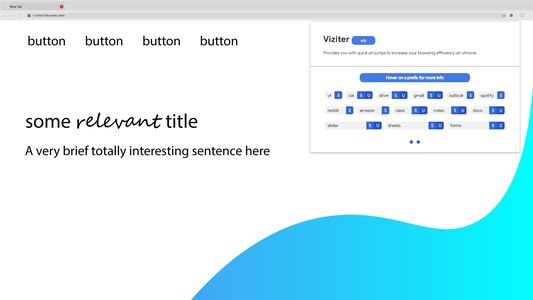
Provides you with quick url jumps to increase your browsing efficiency on chrome.
1 个用户1 个用户
扩展元数据
屏幕截图



关于此扩展
A lightweight chrome extension which provides you an omnibox to use prefixes that point to a specific website allowing you to quickly browse the web.
This extension is useful for both who type slow or fast and don't want to wait around for a website to load before they can enter their search query or switch accounts.
Main Features
- Specify a user or search query in url prefix e.g. "viz drive:1?document" -> "https://drive.google.com/drive/u/1/search?q=document".
- Automatically open first link in search.
Format
"viz prefix:user?search" ("viz" is used to access the omnibox)
The extra parameters are optional and can be done in any order. The extension pop up menu specifies if a prefix supports a certain parameter (S:search and U:user) and are both optional.
The user parameter represents the position of the account in the google account switcher. For a prefix that supports a user parameter, the first google account is used automatically if not provided an alternative.
How to use
Type "viz" into the search bar which is used before every prefix that you use.
After opening the omnibox, you can also specify a normal search which will automatically open
the first website the shows up in the results (excluding advertised websites) e.g. "viz netflix" will
automatically open "https://www.netflix.com/" because it is the first result.
This extension is useful for both who type slow or fast and don't want to wait around for a website to load before they can enter their search query or switch accounts.
Main Features
- Specify a user or search query in url prefix e.g. "viz drive:1?document" -> "https://drive.google.com/drive/u/1/search?q=document".
- Automatically open first link in search.
Format
"viz prefix:user?search" ("viz" is used to access the omnibox)
The extra parameters are optional and can be done in any order. The extension pop up menu specifies if a prefix supports a certain parameter (S:search and U:user) and are both optional.
The user parameter represents the position of the account in the google account switcher. For a prefix that supports a user parameter, the first google account is used automatically if not provided an alternative.
How to use
Type "viz" into the search bar which is used before every prefix that you use.
After opening the omnibox, you can also specify a normal search which will automatically open
the first website the shows up in the results (excluding advertised websites) e.g. "viz netflix" will
automatically open "https://www.netflix.com/" because it is the first result.
评分 0(1 位用户)
更多信息