
Wide GitHub 作者: fabiocchetti
Makes GitHub wide on Mozilla Firefox. Supports GitHub, private Gists, GitHub Enterprise, and custom domains (TLDs).
448 个用户448 个用户
扩展元数据
屏幕截图

关于此扩展
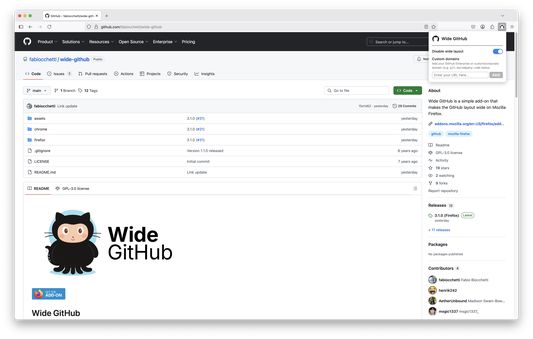
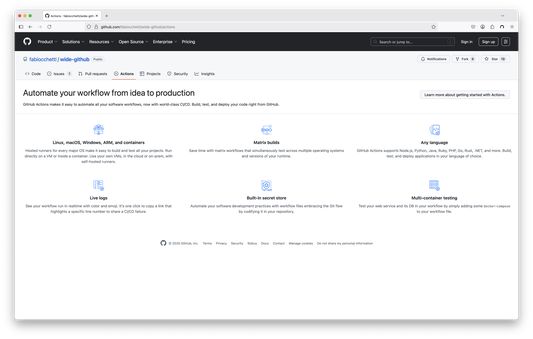
Wide GitHub stretches GitHub's layout to the full width of your browser window, enhancing readability, reducing vertical scrolling, and improving accessibility.
Code diffs and pull request reviews stop being squeezed into a narrow column, file trees and issue threads get room to breathe, and large displays are finally put to use.
How it works:
1. Open GitHub: the wide layout is already on.
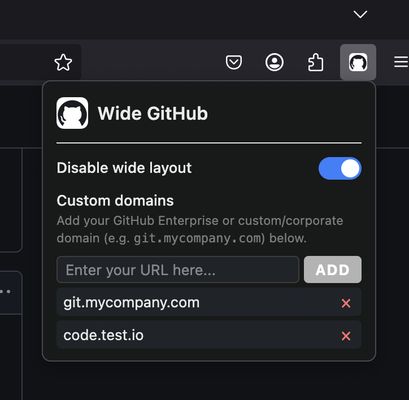
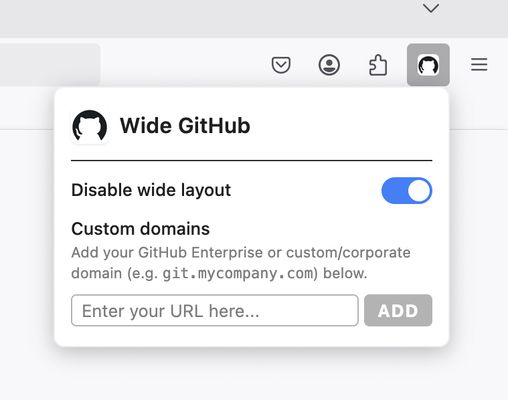
2. Click the Wide GitHub icon to switch it off or on again.
3. Using GitHub Enterprise or a self-hosted instance? Add its domain from the same popup.
What you get:
• Full-width code, diffs, pull requests, issues and discussions
• Works on GitHub, private Gists, GitHub Pages and GitHub Enterprise
• Custom domains for self-hosted instances
• One-click on/off toggle
• Preferences that follow you across devices through your browser's built-in sync
Your privacy:
Wide GitHub collects no data: no analytics, no tracking, no external servers. By default it runs only on GitHub, Gist and GitHub Pages. Access to any other site is optional, and requested only when you add a custom domain yourself.
Good to know:
• Each custom domain asks for permission when you add it, and removing it revokes that permission.
• If GitHub redesigns a page, parts of the layout may need an update to catch up.
Free and open source under the GNU GPL v3 license.
Source code and issues: https://github.com/fabiocchetti/wide-github
Privacy policy: https://visiomultimedia.com/en/extensions-privacy-policy/#wide-github
Wide GitHub is an independent project, not affiliated with or endorsed by GitHub. GitHub is a trademark of GitHub, Inc.
Code diffs and pull request reviews stop being squeezed into a narrow column, file trees and issue threads get room to breathe, and large displays are finally put to use.
How it works:
1. Open GitHub: the wide layout is already on.
2. Click the Wide GitHub icon to switch it off or on again.
3. Using GitHub Enterprise or a self-hosted instance? Add its domain from the same popup.
What you get:
• Full-width code, diffs, pull requests, issues and discussions
• Works on GitHub, private Gists, GitHub Pages and GitHub Enterprise
• Custom domains for self-hosted instances
• One-click on/off toggle
• Preferences that follow you across devices through your browser's built-in sync
Your privacy:
Wide GitHub collects no data: no analytics, no tracking, no external servers. By default it runs only on GitHub, Gist and GitHub Pages. Access to any other site is optional, and requested only when you add a custom domain yourself.
Good to know:
• Each custom domain asks for permission when you add it, and removing it revokes that permission.
• If GitHub redesigns a page, parts of the layout may need an update to catch up.
Free and open source under the GNU GPL v3 license.
Source code and issues: https://github.com/fabiocchetti/wide-github
Privacy policy: https://visiomultimedia.com/en/extensions-privacy-policy/#wide-github
Wide GitHub is an independent project, not affiliated with or endorsed by GitHub. GitHub is a trademark of GitHub, Inc.
评分 4.8(1 位用户)
权限与数据
必要权限:
- 访问您用于 github.com 域名的网站的数据
- 访问您用于 github.io 域名的网站的数据
- 访问您在 github.com 的数据
- 访问您在 gist.github.com 的数据
收集的数据:
- 开发者称此扩展无需收集数据。
更多信息
- 版本
- 3.6.0
- 大小
- 72.87 KB
- 上次更新
- 1 个月前 (2026年8月20日)
- 隐私政策
- 阅读此附加组件的隐私政策
- 版本历史
- 添加到收藏集